
The Complete Professional Guide to Selling Multi-Million Dollar Properties Through Cinematic Post-Production
You’ve captured the footage. The drone soared over the infinity pool at golden hour. The gimbal glided through the marble foyer. The twilight exterior looks stunning in your monitor. And yet — the finished video falls flat. The property sold for $8.2 million, but the listing video barely communicates $2 million worth of aspiration.
This is the real problem with luxury real estate video editing: it’s not about adding a few color presets and cutting to music. It’s about engineering a specific emotional response in a high-net-worth viewer who has seen dozens of luxury properties and is almost impossible to impress.
In this guide, I’ll walk you through the exact post-production workflows, tools, and techniques that separate a forgettable listing video from the kind of cinematic real estate content that gets shared by luxury agents, earns premium fees, and — most importantly — helps close deals faster.
1. Why Standard Real Estate Video Editing Fails the Luxury Market
Most real estate editors apply the same workflow to a $400,000 suburban home and a $15 million penthouse. That’s a fundamental mistake. Luxury buyers are not buying square footage — they’re buying a lifestyle narrative, a status object, a future version of themselves.
The editing must serve that narrative at every frame. Here’s what I consistently see going wrong:
- Over-brightened interiors with blown highlights — a hallmark of amateur editing that destroys the moody, atmospheric quality that luxury spaces are designed to create
- Generic royalty-free music that signals ‘budget production’ to experienced buyers
- Jump cuts between rooms with no spatial logic — viewers lose their sense of the property’s flow
- No dynamic range control — HDR footage graded flat looks like oversaturated stock video
- Titles and lower thirds using default Premiere Pro templates instead of custom typography
Case Study — The Beverly Hills Disconnect: A production company in Los Angeles shared data showing that luxury listings using professional post-production (cinematic grade, custom sound design, bespoke motion graphics) generated 340% more qualified inquiry calls compared to properties using standard editing services, even when the raw footage quality was comparable. The differentiator was entirely in the edit.
2. The Luxury Color Grading Framework: Beyond ‘Warm and Bright’
Color is the single most powerful tool in post-production for luxury properties. It controls perceived material quality, time of day, atmosphere, and emotional register. Here is the framework I use:
2.1 The Three-Pass Color Workflow
- Primary Correction (Balance): Fix exposure, white balance, and remove any colorcast. Work in LOG or RAW if your camera supports it. Blackmagic RAW on a Pocket Cinema 6K gives you extraordinary latitude for interior shots with mixed lighting.
- Creative Grade (Atmosphere): Apply your look. Luxury real estate tends to benefit from what I call a ‘cool shadow, warm highlight’ split — pulling shadows slightly blue-green while keeping midtones neutral and highlights creamy. This reads as ‘architectural photography’ rather than ‘real estate video.’
- Qualification (Detail Grading): Use Power Windows in DaVinci Resolve to isolate specific surfaces. Separately grade the marble countertop, the view outside the windows, and the hardwood floors. This is what gives luxury footage that ‘every surface has been considered’ quality.
Tool: DaVinci Resolve 19’s Color Warper and custom 3D LUTs built from reference images of Architectural Digest editorial shoots. I import a curated folder of 12 base LUTs and mix them at 20-40% intensity rather than applying any single LUT at full strength.
2.2 HDR Deliverables Are Now Table Stakes
In 2024-2025, YouTube and Vimeo both expanded HDR support significantly. High-net-worth buyers increasingly view luxury property videos on calibrated OLED displays. Delivering only an SDR master is leaving visual impact on the table.
- Export a primary HDR10 master (BT.2020, PQ transfer function) for premium platforms
- Export a tone-mapped SDR version using DaVinci Resolve’s built-in HDR to SDR trim pass
- Always export a separate 9:16 social cut graded for mobile brightness (lift blacks, reduce contrast)
3. Motion, Pacing, and the Architecture of a Luxury Video Edit
Pacing in luxury real estate video editing is counterintuitive for editors trained on standard commercial work. Slower is almost always better — but not uniform slow. The rhythm needs to breathe.
3.1 The Rule of Three Speeds
Across a 3-4 minute luxury property film, I structure pacing around three distinct speeds:
- Establishing Shots (Slow): 8-12 second cuts for exteriors, establishing architecture, and drone aerials. These orient the viewer and signal ‘this is significant.’
- Flow Shots (Medium): 4-6 second cuts for interior walkthrough footage. Long enough for spatial comprehension, short enough to sustain interest.
- Detail Shots (Punchy): 2-3 second cuts for material close-ups — hardware, fixtures, stone veining, fabric texture. These reward attentive viewing and communicate craftsmanship.
3.2 Transitions That Don’t Break Immersion
Cut on motion. If the camera is moving left, cut to footage where the camera is also moving left. This creates visual momentum that feels natural to the subconscious viewer.
Avoid: wipe transitions, zoom transitions, and any effect borrowed from wedding videography. The luxury architectural cinema vocabulary is: straight cut, L-cut (audio leads), J-cut, and — for specific emotional emphasis — a 4-8 frame dissolve.
Case Study — A Dubai Ultra-Prime Edit: Working on a AED 45M penthouse in Dubai Marina, the clients wanted to emphasize the transition from day to twilight. I edited a 45-second sequence using only J-cuts with the ambient sound of the city at dusk, allowing the atmosphere to carry the emotion rather than underscoring it with music. The agent reported that 7 out of 8 viewing inquiries specifically mentioned the ‘mood’ of the video as a deciding factor.
4. Software Stack for Luxury Real Estate Post-Production
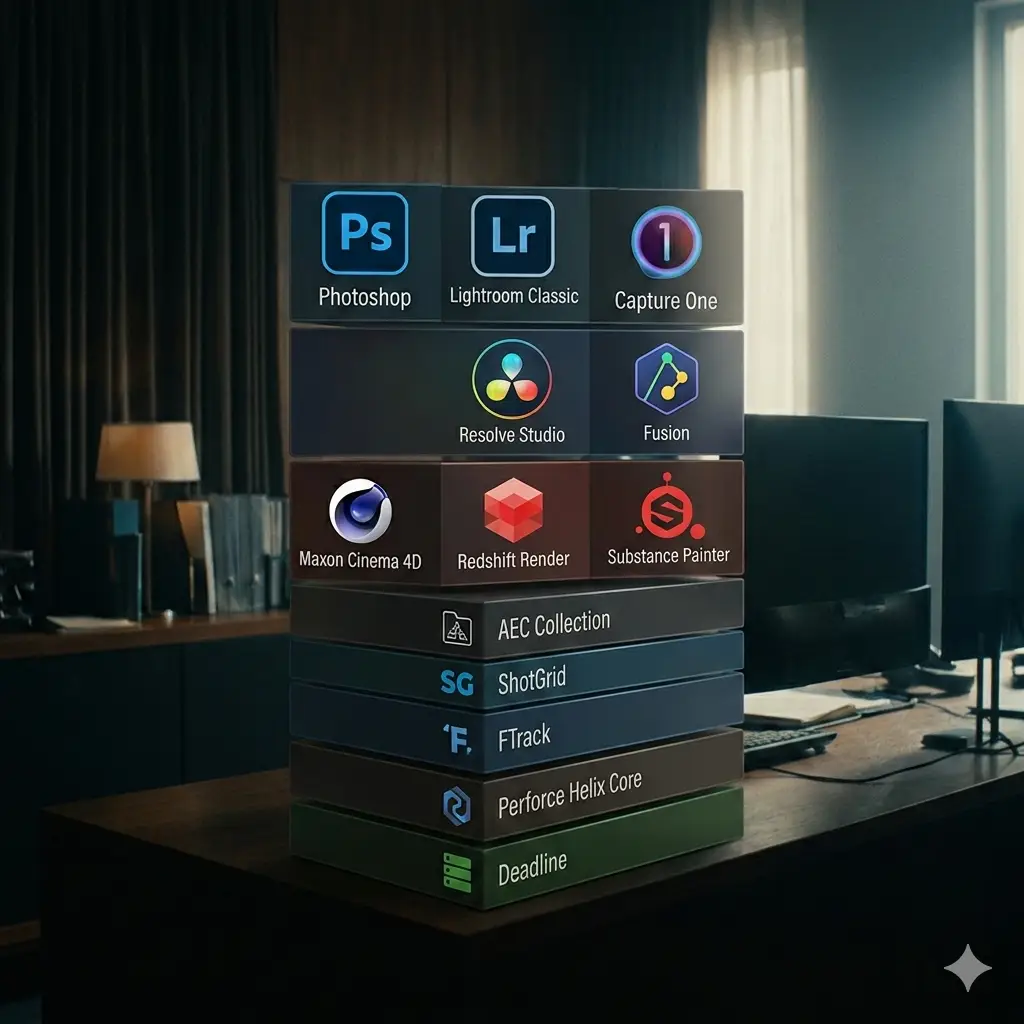
No single tool does everything. Here is the professional stack I recommend, mapped to specific functions:
| Software | Strengths | Best For |
| DaVinci Resolve 19 | Color grading, HDR support, free version | Colorists, full post-production |
| Adobe Premiere Pro | Multi-cam, After Effects integration, team projects | Agencies, complex timelines |
| Final Cut Pro | Magnetic timeline, proxy workflow, Apple Silicon speed | Solo editors on Mac |
| Blackmagic Fusion | VFX, sky replacement, 3D compositing | High-end visual effects |
| LumaFusion (iPad) | On-location edit, LUT import, fast export | Field editors, quick turnaround |
For sound design specifically, I use iZotope RX 11 to clean ambient audio and Artlist for licensed music — their Cinematic collection includes tracks that have been pre-cleared for commercial real estate use globally.
5. Expert Workflow: Delivering a Luxury Video in 72 Hours
Time pressure is real. Agents often need content live within days of a shoot. Here is the compressed professional workflow I use for urgent luxury listings:
- Hour 1-2 — Ingest and Proxy Build: Import all footage, generate proxies at 1/4 resolution in Premiere Pro or DaVinci Resolve. Link proxies. You can now edit on any machine without rendering delays.
- Hour 3-5 — Rough Assembly: Build the story. Ignore color and audio completely. Focus only on shot selection, spatial logic (establish > flow > detail), and overall duration. Target 3:30 for a hero video.
- Hour 6-8 — Music and Temp Audio: License a track and lay it under the cut before color. Music tempo often requires you to re-cut timing — do this before investing in grade.
- Hour 9-14 — Color Grade: Apply the three-pass framework. For speed, create a master grade on a representative interior shot and use DaVinci Resolve’s ‘Apply Grade to All’ with group post-clip nodes for global adjustments.
- Hour 15-17 — Motion Graphics and Titles: Property address, key specs, and agent details. Keep typography minimal — one weight, one size variation, maximum. White or very light gold on dark footage. No drop shadows.
- Hour 18-20 — Sound Design: Add room tone, subtle foley (water feature, fireplace), and mix music at -18 LUFS for web delivery. Use iZotope Neutron for music ducking automation.
- Hour 21-24 — Export and QC: Export HDR10 master, SDR web version, and 9:16 social cut. Watch the full video on a phone, a laptop, and a TV before delivery. These three screens will expose every mistake.
| ⚠️ The 5 Most Expensive Mistakes in Luxury Real Estate Video Editing 1. Grading for brightness instead of atmosphere — Luxury buyers respond to mood, not visibility. If every room looks ‘bright and airy,’ you’ve lost the editorial voice. 2. Using the property’s actual audio as background — HVAC hum, refrigerator noise, and street sound destroy the aspirational fantasy. Replace with clean room tone. 3. Including too many rooms — A 6,000 sq ft property does not need 40 rooms shown. Curate 12-15 hero spaces and let the edit imply the rest. Scarcity of information creates desire. 4. Ignoring the 6-second mobile test — More than 60% of initial listing views happen on mobile. If your opening 6 seconds don’t communicate ‘luxury’ on a phone screen, you’ve lost most of your audience. 5. Delivering without a metadata strategy — Filename conventions, color space tags, and audio loudness normalization are not optional. Incorrect delivery specs cause re-exports that cost you and the client time. |
Conclusion: The Edit Is the Sale
Luxury real estate video editing is, at its core, a discipline of empathy and precision. You are not editing footage — you are engineering a sequence of emotional states in a specific type of viewer who has seen everything, trusts nothing superficial, and makes decisions worth millions of dollars.
The techniques covered in this guide — the three-pass color framework, the rule of three speeds, the 72-hour delivery workflow, and the critical errors to avoid — are the result of years of working on properties where getting the edit wrong has real financial consequences for clients.
The good news: most of your competition is still applying generic wedding and commercial workflows to luxury property content. The bar for differentiation is lower than you might think — and the premium you can charge for genuine cinematic expertise is significant.
Have you tried any of these techniques on a luxury property project? Share your experience in the comments — I read every response and regularly update this guide based on real-world feedback from working editors.
Frequently Asked Questions
Q: What frame rate should I use for luxury real estate video?
Shoot and edit at 24fps for a cinematic, filmic quality. Use 60fps only for slow-motion sequences (drone flyovers, water features, curtain details) that you will retime to 24fps in post. Delivering at 30fps is acceptable for social media but loses the cinematic quality that distinguishes premium content.
Q: How long should a luxury property video be?
The hero video should run 3 to 4 minutes — long enough to establish aspiration, short enough to sustain attention. Additionally, produce a 60-90 second ‘teaser’ for social media, and a silent 30-second loop for platforms like Instagram Stories and property website headers. Never exceed 5 minutes for a single property unless it is a compound or estate with genuinely distinct separate structures.
Q: Is drone footage mandatory for luxury listings?
Not mandatory, but almost always additive — provided the exterior and context are photogenic. There are cases where drone footage hurts a luxury edit: dense urban buildings where the drone reveals an uninspiring rooftop, or properties where the aerial view exposes proximity to infrastructure. In those cases, a strong ground-level exterior package often serves better. Always evaluate the aerial footage critically before committing to it as part of the narrative structure.
- Luxury Real Estate Video Editing
- How Real Estate Video Transforms Your Listings
- Real Estate Video Creator: How Video Is Transforming Property Sales in 2026
- AI Luxury Real Estate Video in 2026: The Complete Guide for Agents & Creators
- Luxury Real Estate Video Editing: The Secret to Selling Multi-Million Dollar Properties Faster